Website Security for Beginners: How to Protect Your Website
Introduction
A website can help you share information, publish articles, promote services, and connect with people around the world. However, every website needs proper security to protect its content, user information, and administrative access.
Website security is not only important for large businesses. Personal blogs, small business websites, online communities, and digital work platforms can also face risks from weak passwords, outdated software, malicious links, spam, and unauthorized access.
At GigBD.com, we believe that learning about digital skills should also include understanding online safety. Whether you operate a blog or manage a growing online platform, this beginner-friendly guide will help you understand common website security risks and practical ways to reduce them.
1. Understand Why Website Security Matters
Website security involves protecting a website, its files, its administrative accounts, and the information it handles from unauthorized access or damage.
Without appropriate security measures, a website may experience problems such as:
Unauthorized changes to website content.
Stolen administrative credentials.
Malicious software or injected scripts.
Spam submissions and fake registrations.
Exposure of private information.
Website downtime or data loss.
Damage to visitor trust and brand reputation.
The risks depend on the type of website, its software, its configuration, and the information it processes.
For example, a simple blog and a website that stores customer information may need different levels of protection.
Website owners should identify the risks relevant to their own platforms rather than assuming that a small website is automatically safe.
Readers can explore more digital education topics through GigBD.com, while applying responsible security practices to their own websites.
2. Use Strong and Unique Passwords
Weak or reused passwords can make website administration vulnerable to unauthorized access.
Create a long, unique password for every important account, especially your website administrator, hosting provider, domain registrar, and business email.
Follow these practices:
Use a password manager to generate and store strong passwords.
Never reuse your website password on unrelated services.
Avoid predictable information such as your name or birth date.
Do not share administrator credentials with unauthorized people.
Change credentials immediately if you suspect they have been exposed.
A password manager can make it easier to maintain different passwords without memorizing all of them.
For a website such as GigBD.com, protecting administrative accounts is particularly important because access to those accounts may allow someone to change website content or settings.
3. Enable Two-Factor Authentication
Two-factor authentication (2FA), also called multifactor authentication when additional factors are involved, adds another layer of protection beyond a password.
Depending on the service, you may be able to use an authenticator application, a security key, or another supported verification method.
Enable it for important accounts wherever possible, including:
Website administration.
Hosting and domain accounts.
Business email.
Website management services.
Accounts with access to user or customer information.
Store recovery codes in a secure location so you can regain access if you lose your authentication device.
Be cautious of unexpected login approval requests. Never approve a request that you did not initiate.
Two-factor authentication does not eliminate every security risk, but it can reduce the chance that a stolen password alone will be enough to access an account.
4. Keep Your Website Software Updated
Outdated software may contain security weaknesses that attackers know how to exploit.
Depending on your website setup, updates may be available for:
Your content management system.
Themes and design templates.
Plugins and extensions.
Server software.
Programming frameworks and libraries.
Website management tools.
Check for updates regularly and install them through trusted sources.
Before updating a live website, make sure you have a recent backup and understand whether the update could affect your website's functionality.
Remove themes, plugins, and extensions that you no longer use. Unused components can still create maintenance and security risks.
Do not install software from unknown websites simply because it promises premium features for free.
If you manage a blog or publishing platform, including GigBD.com, maintaining the underlying software is an important part of responsible website management.
5. Make Sure Your Website Uses HTTPS
HTTPS encrypts information exchanged between a visitor's browser and your website through a secure connection.
A valid TLS certificate is required to establish that connection.
HTTPS is particularly important for websites that handle login information, contact forms, account details, or other sensitive data.
To check your website:
Open the website in a browser.
Confirm that the address begins with
https://.Check that the browser does not display a certificate warning.
Review your hosting provider's certificate and renewal settings.
Make sure internal links and website resources use secure URLs where appropriate.
Many hosting providers offer certificate setup tools, and some offer certificates at no additional cost.
Remember that HTTPS protects data in transit; it does not automatically make the entire website secure. You still need strong account protection, safe software, and proper access controls.
6. Back Up Your Website Regularly
A backup is a separate copy of your website data that can help you recover after accidental deletion, software failure, or a security incident.
Depending on your website, a backup may include:
Website files.
Database contents.
Uploaded images and documents.
Configuration files.
Important application settings.
Create a backup schedule based on how frequently your website changes. A website that receives new user submissions every day may need more frequent backups than a rarely updated personal site.
Keep backup copies separate from the main website where possible. If every backup is accessible through the same compromised account, an attacker might be able to damage those copies too.
Periodically test the restoration process. A backup is useful only if it can be restored successfully.
For GigBD.com and other growing websites, reliable backups can help reduce the impact of technical problems and unexpected data loss.
7. Limit Administrator Access
Not everyone who contributes to a website needs full administrator privileges.
Assign each user the minimum level of access necessary to perform their responsibilities.
For example:
An author may only need permission to create and edit their own articles.
An editor may need permission to review and publish content.
A developer may need technical access for specific maintenance tasks.
A site administrator may need broader control over settings and users.
Review user accounts regularly and remove access when someone no longer needs it.
Avoid sharing one administrator account among several people. Individual accounts make it easier to track activity and revoke access appropriately.
If you operate a website with multiple contributors, clear permission rules can help prevent accidental changes and reduce the impact of compromised accounts.
8. Protect Your Website From Spam
Spam submissions can waste time, clutter databases, and make a website appear less trustworthy.
Common targets include comment sections, contact forms, registration pages, and public submission forms.
Depending on your website platform, you can reduce spam by:
Enabling built-in spam filtering.
Applying rate limits to repeated submissions.
Using suitable CAPTCHA or bot-detection tools.
Requiring email verification when appropriate.
Reviewing suspicious submissions.
Restricting unnecessary public form fields.
Choose protections that suit your visitors. Excessive verification steps can frustrate legitimate users, especially on mobile devices.
If your website allows users to publish content or submit tasks, make sure your moderation process is clear and that suspicious activity can be reviewed.
For online platforms such as GigBD.com, maintaining useful and trustworthy website content helps support a better experience for visitors.
9. Choose a Reliable Hosting Provider
Your hosting provider affects website performance, availability, and some aspects of security.
When evaluating a provider, look for relevant features such as:
Secure account access.
Regular infrastructure maintenance.
Backup options.
SSL/TLS certificate support.
Security monitoring.
Clear incident-response procedures.
Technical support.
Protection against common network attacks.
Check what the hosting plan actually includes. Not every provider offers the same security controls, and some features may require a separate service.
Keep your hosting account protected with a unique password and multifactor authentication where available.
Also secure your domain registrar account. If an attacker gains control of your domain, they may be able to redirect visitors or disrupt access to your website.
Choose hosting based on your website's technical needs, expected traffic, budget, and security requirements.
10. Be Careful With Plugins and Third-Party Tools
Plugins and integrations can add useful features to a website, but every additional component may introduce maintenance requirements or security risks.
Before installing a plugin or third-party service, consider:
Whether it comes from a trustworthy source.
Whether it is actively maintained.
Whether it supports your current software version.
Which permissions it requests.
Whether it collects visitor information.
Whether you genuinely need the feature.
Review the documentation and privacy terms where appropriate.
Remove extensions that are no longer needed, and avoid using multiple tools that perform the same function without a clear reason.
Do not enter administrator credentials into unfamiliar services or install suspicious scripts copied from untrusted sources.
A simpler website can be easier to maintain because there are fewer components to review and update.
11. Protect User Information and Privacy
If your website collects personal information, you should understand what information you collect, why you need it, where it is stored, and who can access it.
Collect only the information necessary for your stated purpose.
Good practices include:
Restricting access to personal data.
Using secure connections.
Keeping software and dependencies updated.
Reviewing third-party services that receive data.
Publishing an accurate privacy policy.
Setting appropriate data-retention periods.
Following applicable privacy and data-protection laws.
Never collect sensitive information simply because a form allows you to do so.
If your website supports user accounts, review how passwords are stored and make sure the application uses established, secure password-handling mechanisms rather than storing passwords as plain text.
For websites that handle payments or financial information, use reputable payment providers and follow the relevant security requirements. Avoid storing payment card details yourself unless you have the necessary expertise and compliance arrangements.
12. Recognize Common Website Security Threats
Understanding common threats can help you respond more carefully when something appears suspicious.
Phishing: Fraudulent messages or pages designed to trick people into revealing passwords or other private information.
Brute-force attempts: Repeated attempts to guess account credentials.
Malicious software: Code intended to damage systems, steal information, or gain unauthorized access.
SQL injection: An attack that exploits unsafe handling of database queries.
Cross-site scripting (XSS): A vulnerability that can allow untrusted scripts to run in a visitor's browser.
Denial-of-service attacks: Attempts to make a website or service unavailable by overwhelming it with requests or otherwise disrupting its operation.
Misconfigured permissions: Settings that accidentally expose files, accounts, or administrative functions.
Website owners do not need to become security specialists overnight. However, they should understand the risks relevant to their software and use established security practices.
If you suspect a serious vulnerability, consult a qualified security professional rather than experimenting on a live website.
13. Monitor Your Website for Suspicious Activity
Regular monitoring can help you identify problems before they cause more damage.
Depending on your platform and hosting environment, useful checks may include:
Reviewing administrator login activity.
Checking for unfamiliar user accounts.
Monitoring website availability.
Reviewing hosting error logs.
Watching for unexpected file changes.
Checking for browser security warnings.
Monitoring domain and certificate renewal dates.
Use trusted security tools that are appropriate for your website. Avoid installing unknown scanning software that could introduce additional risks.
If you discover suspicious activity, preserve relevant logs where possible and follow your hosting provider's incident-response guidance.
Monitoring should be part of an ongoing maintenance routine rather than something you do only after a problem occurs.
14. What to Do If Your Website Is Compromised
If you believe your website has been hacked, act carefully and avoid making random changes that could destroy evidence or complicate recovery.
Consider these steps:
Contact your hosting provider or website administrator.
Secure your email, domain, hosting, and administrator accounts from a trusted device.
Follow professional guidance on isolating the affected website if necessary.
Preserve logs and relevant evidence.
Restore from a known-clean backup when appropriate.
Update affected software and investigate the original entry point.
Review administrator accounts, access permissions, and credentials.
Check whether user information may have been exposed.
Follow applicable legal or regulatory notification requirements.
Monitor the website after recovery.
Changing a password alone may not resolve a compromise if malicious code or unauthorized accounts remain on the website.
For serious incidents, work with a qualified security professional. If personal data may have been exposed, obtain appropriate advice about your responsibilities to affected users.
15. Create a Simple Website Security Checklist
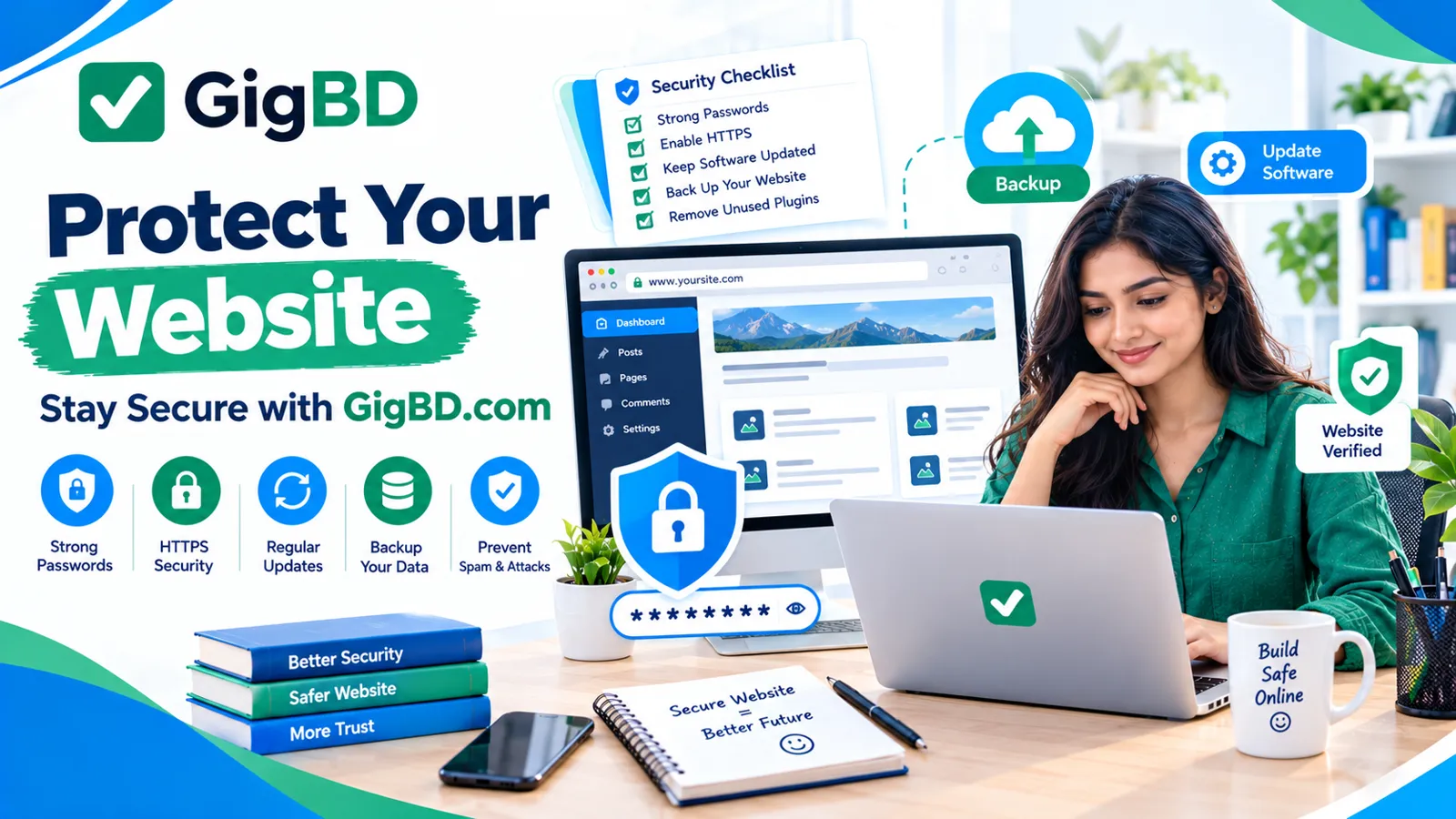
Use this checklist to review the basic protections on your website.
Use unique, strong passwords for important accounts.
Enable multifactor authentication where available.
Keep the website platform and extensions updated.
Confirm that HTTPS and certificate renewal work properly.
Create backups and test restoration.
Review administrator accounts and permissions.
Remove unused plugins, themes, and accounts.
Use suitable spam protection.
Secure your hosting and domain registrar accounts.
Review privacy practices and data access.
Monitor for suspicious activity.
Keep a recovery plan for security incidents.
You do not need to complete every improvement in a single day. Start with account protection, backups, and software updates, then address the remaining items based on your website's needs.
Website owners can use this checklist as part of their ongoing maintenance routine while continuing to learn through digital education resources such as GigBD.com.
Conclusion
Website security is an ongoing responsibility, but beginners can make meaningful improvements by following a few essential practices.
Use strong passwords, enable multifactor authentication, keep software updated, maintain reliable backups, use HTTPS, limit administrative access, and monitor your website for suspicious activity.
Also remember that security involves more than technical tools. Responsible data handling, careful plugin selection, regular maintenance, and a clear recovery plan all contribute to a safer website.
Whether you operate a personal blog, a business website, or an online platform, take time to understand the risks that apply to your environment and seek professional help when needed.
For more educational content about digital skills, online work, and website development, visit GigBD.com.
GigBD.com — Learn, work, and grow with confidence in the digital world.