How to Create a Professional Freelance Portfolio With No Experience
Introduction
Starting a freelance career can feel difficult when you have no previous clients, professional experience, or completed projects to show. You may have useful skills, but potential clients still need a reason to trust your ability to deliver quality work.
This is where a freelance portfolio can help.
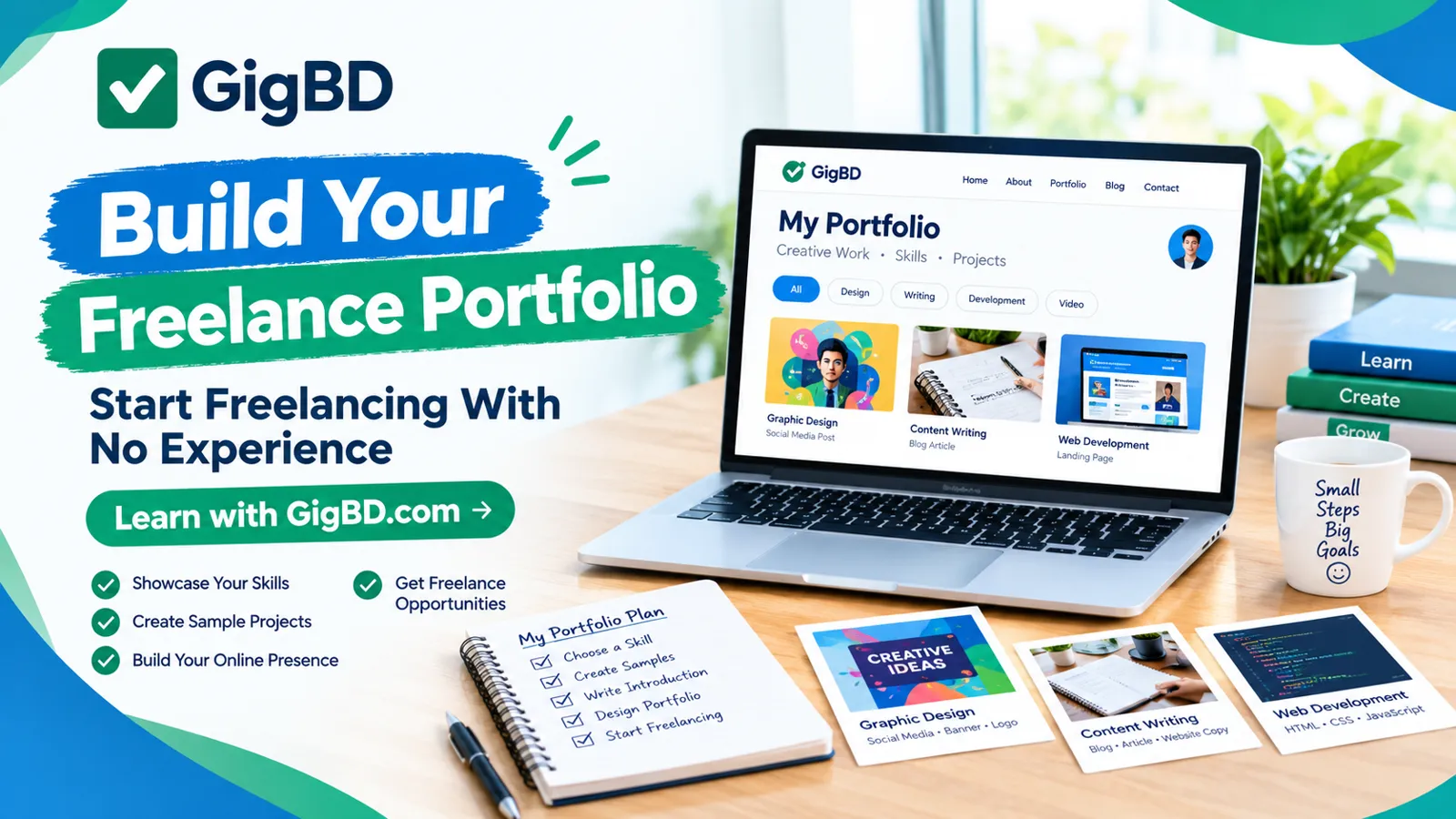
A portfolio is a collection of work samples that demonstrates your skills, creativity, and ability to solve problems. You do not necessarily need previous clients to create one. You can begin with practice projects, personal projects, and realistic examples of the services you want to offer.
At GigBD.com, we aim to help beginners learn about digital work, microjobs, freelancing, and online career opportunities. In this guide, you will learn how to build a professional portfolio from scratch and present your skills more effectively.
1. Understand What a Freelance Portfolio Is
A freelance portfolio is a collection of examples that shows potential clients what you can do.
Depending on your skills, it might include:
Writing samples and blog articles.
Graphic designs and social media posts.
Website designs and development projects.
Video editing samples.
Spreadsheet and data organization examples.
Translation samples.
Virtual assistance documents and organizational templates.
A portfolio does not need to be complicated. A few relevant, well-presented examples can be more useful than a large collection of unrelated work.
Before choosing your samples, think about the type of client you want to attract and the specific service you want to provide.
For more beginner-friendly information about digital work, explore the educational content available at GigBD.com.
2. Choose One Freelance Skill to Showcase
One common mistake beginners make is trying to offer too many unrelated services at the same time.
Instead, choose one main skill and build your first portfolio around it.
For example:
Content writing: Blog posts, product descriptions, website content, and articles.
Graphic design: Social media graphics, banners, thumbnails, and simple promotional materials.
Video editing: Short-form videos, promotional clips, captions, and basic transitions.
Web development: Landing pages, responsive layouts, and small website projects.
Virtual assistance: Research summaries, spreadsheets, schedules, and administrative templates.
Data entry: Organized spreadsheets, sample data cleaning, and information formatting using fictional or public sample data.
Choose a skill that interests you and that you can practise consistently.
You do not need to master everything before starting. Focus on developing enough ability to create a few convincing examples of your work.
3. Create Sample Projects Without Having Clients
You can build a portfolio even if nobody has hired you yet.
The key is to create your own sample projects and clearly label them as practice or personal work.
Here are some examples:
For content writers: Write a sample article about a topic you understand, such as beginner freelancing tips or digital productivity.
For graphic designers: Design three social media posts for an imaginary coffee shop or clothing store.
For video editors: Produce a short promotional video using footage you own or are permitted to use.
For web developers: Build a sample landing page for a fictional business.
For virtual assistants: Create a sample weekly schedule, project tracker, or neatly organized spreadsheet.
For data entry beginners: Demonstrate how you transform a messy sample spreadsheet into a clean, organized table.
Each project should demonstrate a specific skill rather than simply fill space.
For example, a writing sample should show clear structure and grammar, while a design sample should demonstrate visual consistency and readable text.
Remember that practice projects are legitimate portfolio material when presented honestly. Never claim that fictional projects were completed for real clients.
4. Build Three Strong Portfolio Samples
You do not need dozens of projects when you are just starting. Begin with three carefully selected samples.
Try this simple structure:
Project 1: Basic Skills
Create a straightforward example that demonstrates your ability to perform the core task.
Project 2: Practical Application
Create a more realistic example that solves a specific problem for a potential client.
Project 3: Best Work
Create your strongest sample, showing attention to detail, presentation, and quality.
For example, a beginner content writer might create a how-to article, a product description, and a well-structured informational blog post.
A beginner graphic designer might create a social media campaign, a promotional banner, and a YouTube thumbnail.
For each sample, explain the goal, the work you completed, the tools you used, and the skills demonstrated.
The purpose is to help clients understand not only what you created but also how your work could help them.
5. Write a Professional Portfolio Introduction
Your portfolio introduction should quickly explain who you are, what you do, and the services you offer.
You do not need to pretend to be an expert or exaggerate your experience. Focus on your skills, reliability, and willingness to communicate clearly.
Here is an example for a beginner content writer:
"Hello! I am a beginner content writer interested in creating clear, informative, and reader-friendly articles. I enjoy researching topics, organizing information, and writing content that is easy to understand. My portfolio includes practice projects that demonstrate my writing style, research skills, and attention to detail."
You can adapt this format to graphic design, video editing, data entry, or another service.
Keep your introduction short and specific. Avoid vague statements such as "I can do everything" because clients usually want to understand exactly what you can provide.
For more guidance on preparing for digital work, visit GigBD.com.
6. Choose a Simple Way to Present Your Portfolio
Your first portfolio does not need an expensive website or paid subscription.
You can begin with a simple document, a PDF, a presentation, a suitable portfolio platform, or a basic personal website.
Whichever format you choose, make sure your work is easy to view and navigate.
A simple portfolio should include:
Your name or professional identity.
Your main freelance skill.
A short introduction.
Three or more relevant samples, when available.
A short description of each project.
The tools or skills demonstrated.
A professional contact method.
Check every link before sharing your portfolio. Make sure visitors can access your samples without requesting unnecessary permissions.
If you use a public document, avoid including private information, passwords, financial records, or other sensitive details.
As you learn more about freelancing, you can explore related educational resources at GigBD.com and gradually improve your presentation.
7. Explain the Value of Each Project
A portfolio should do more than display images or files. It should explain what each example demonstrates.
Use a short description for every project.
For example:
Project: Social Media Promotional Design
Objective: Create a clear promotional graphic for a fictional online store.
My contribution: Designed the layout, selected suitable typography, organized the product information, and prepared the final graphic.
Skills demonstrated: Visual hierarchy, layout design, typography, and attention to detail.
This format helps potential clients understand your process and the skills behind the finished work.
If your sample involves a fictional business, make that clear. Transparency helps build trust and avoids misleading potential clients.
8. Use Free or Accessible Tools to Create Your Samples
You can build a basic portfolio using tools you already have or can access at little or no cost.
Depending on your chosen skill, useful options may include:
Word processors for writing samples.
Spreadsheet applications for data entry examples.
Graphic design tools for promotional images.
Video editing applications for short clips.
Code editors for website projects.
PDF tools for organizing portfolio documents.
Choose tools that suit your needs instead of spending money on every available application.
Before using photographs, templates, fonts, videos, or other third-party materials, check their licensing conditions. Use your own work or materials you are permitted to use.
A portfolio demonstrates your skills, so focus on the quality of your projects rather than the number of tools you use.
9. Share Your Portfolio Professionally
After preparing your portfolio, start sharing it with appropriate potential clients.
Possible approaches include:
Freelance marketplaces: Create a profile and follow the platform's rules for presenting samples and contacting clients.
Professional social media: Share selected projects and explain the skills demonstrated.
Direct outreach: Contact businesses that may need your service with a short, relevant message.
Personal website: Publish your portfolio on a website you control.
Avoid sending the same generic message to everyone. Instead, explain briefly how your skills relate to the recipient's needs.
For example:
"Hello, I noticed that your business publishes regular blog content. I have prepared writing samples that demonstrate my ability to research and organize information clearly. I would be happy to discuss whether my skills could support your content needs."
Never claim to have professional experience or client results that you do not have.
GigBD.com can serve as an educational resource as you continue learning about online work, digital skills, and freelancing.
10. Improve Your Portfolio Based on Feedback
Your first portfolio is a starting point, not a final product.
As you practise and receive useful feedback, update your samples to demonstrate better quality and a wider understanding of client needs.
You can improve your portfolio by:
Correcting spelling and formatting errors.
Removing weak or unrelated samples.
Improving project descriptions.
Adding new work that demonstrates specific skills.
Updating outdated examples.
Making contact information easy to find.
Checking that every shared link works.
When possible, ask a knowledgeable person to review your work before you publish it.
If you eventually complete real client projects, ask for permission before including them in your portfolio. Respect confidentiality agreements and remove private information.
Keep learning, practising, and improving your work instead of waiting until everything feels perfect.
11. Common Portfolio Mistakes to Avoid
A portfolio can lose its effectiveness when it is difficult to understand or contains misleading information.
Avoid these common mistakes:
Including unrelated samples: Choose work that matches the services you want to offer.
Using poor-quality examples: Review your work carefully before publishing it.
Copying other people's work: Showcase original work or material you have permission to use.
Exaggerating experience: Clearly distinguish practice projects from paid client work.
Providing broken links: Test every portfolio link before sending it to anyone.
Writing an overly long introduction: Explain your services clearly and get to the point.
Ignoring mobile users: Make sure your portfolio can be viewed comfortably on a smartphone.
Sharing sensitive information: Remove private client data and personal documents.
A clear, honest portfolio makes it easier for potential clients to evaluate your work.
12. Your First Seven-Day Portfolio Plan
If you are unsure where to begin, use this simple seven-day plan to organize your first portfolio project.
Day 1: Choose a skill. Decide whether you want to focus on writing, design, data entry, video editing, or another service.
Day 2: Study examples. Examine high-quality work in your chosen category and identify what makes it effective.
Day 3: Create your first sample. Focus on demonstrating the basic skill accurately.
Day 4: Create your second sample. Apply your skills to a different but relevant task.
Day 5: Create your third sample. Produce your strongest example and review the details carefully.
Day 6: Organize your portfolio. Write your introduction, add project descriptions, and arrange the samples in a clear order.
Day 7: Review and share. Check the quality, test the links, and share your portfolio with suitable opportunities.
This plan is a starting point, not a guarantee of finding clients within seven days. You may need more time to practise, learn new skills, and improve your work.
For more educational content about online jobs, microjobs, and digital work, visit GigBD.com.
Conclusion
Creating a freelance portfolio without experience is possible when you focus on demonstrating your skills rather than trying to appear more experienced than you are.
Choose one service, create a few relevant sample projects, explain your process, and present your work in a clear and professional format. As your skills improve, continue updating your portfolio with stronger examples.
You do not need to wait for your first client to start building evidence of what you can do.
If you want to continue learning about online work, freelancing, microjobs, and digital skills, visit GigBD.com for more beginner-friendly guides and educational articles.
GigBD.com — Learn new skills, build your portfolio, and prepare for digital opportunities.