How to Create a Professional Resume for Remote Jobs
Introduction
Remote jobs allow people to work from different locations using digital tools and online communication. Opportunities may include customer support, content writing, virtual assistance, graphic design, software development, data analysis, and other professional services.
However, finding a suitable remote position often requires more than submitting an application. Employers need to understand your skills, experience, communication abilities, and suitability for the role.
A well-organized resume helps present this information clearly. Whether you are a student, a recent graduate, changing careers, or applying for your first remote position, you can create a professional resume without making it complicated.
At GigBD.com, we share educational resources about digital work, online opportunities, and professional development. This guide explains how to prepare a resume that communicates your strengths honestly and makes it easier for employers to evaluate your application.
1. Understand the Job Before Writing Your Resume
Before creating your resume, carefully read the job description.
Different remote positions require different skills. A customer support role may emphasize communication and problem-solving, while a graphic design position may require design software knowledge and a portfolio.
Look for information about:
Required technical skills.
Relevant work experience.
Communication requirements.
Software and tools used.
Expected responsibilities.
Educational or professional qualifications.
Time-zone or schedule requirements.
Identify which requirements match your actual abilities.
For example, if a job requires familiarity with spreadsheets and you have used spreadsheet software for personal projects, you can mention that experience accurately.
Avoid applying the same generic resume to every position. Adjust your resume to emphasize the qualifications most relevant to each opportunity.
For more educational resources about digital work and professional skills, explore GigBD.com.
2. Choose a Simple, Professional Resume Format
Your resume should be easy to scan, with a clear structure and consistent formatting.
For most beginners, a reverse-chronological format works well. It lists your most recent experience first, making your career history easier to understand.
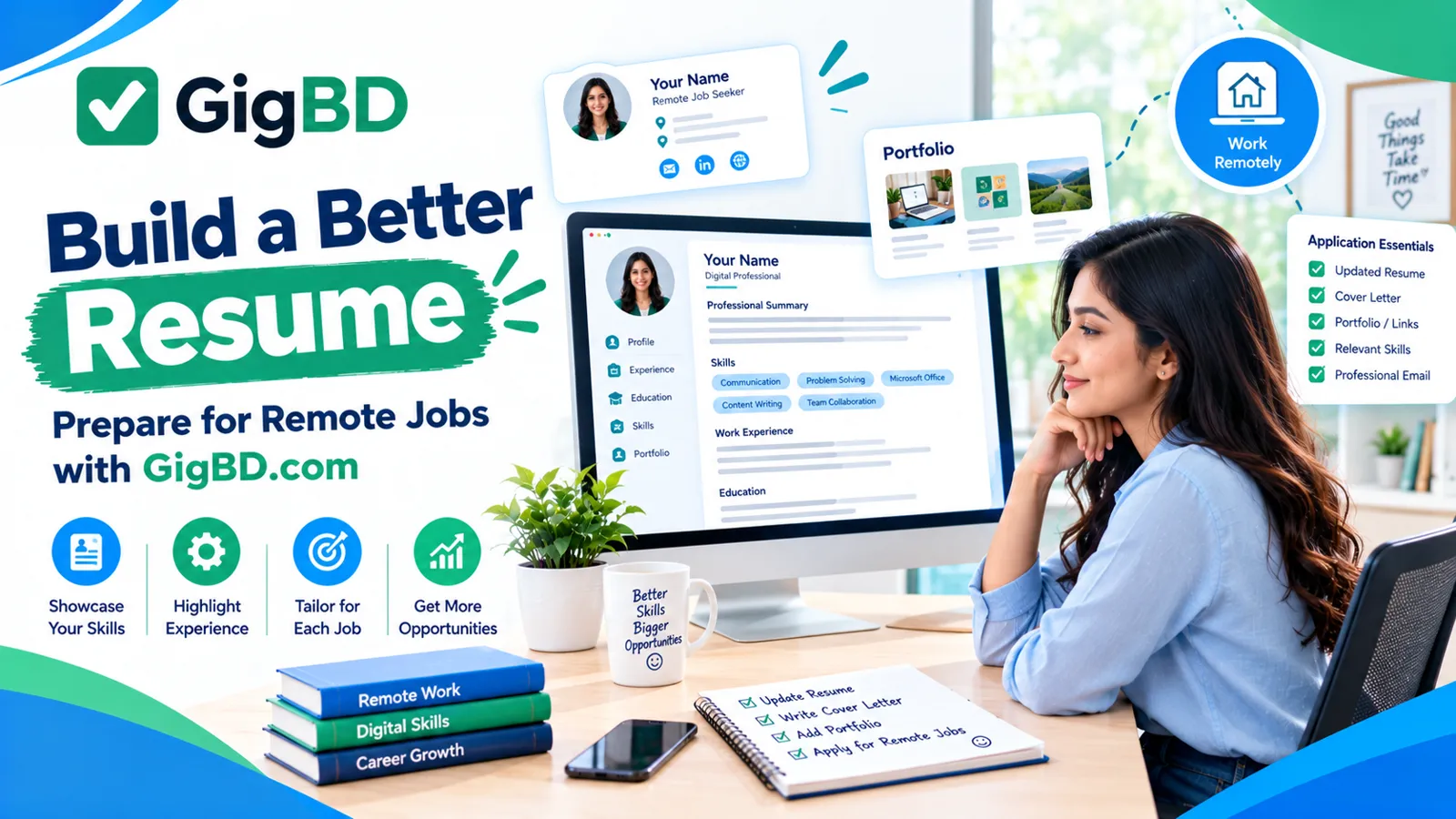
A typical resume includes:
Contact information.
Professional summary.
Skills.
Work experience or relevant projects.
Education.
Certifications, if relevant.
Portfolio or professional profile links, when appropriate.
Use clear headings, readable fonts, and consistent spacing.
A resume of one page may be sufficient for someone with limited experience. Applicants with extensive relevant experience may need more space.
Avoid decorative layouts that make important information difficult to find. Some employers use applicant tracking systems, so a simple, text-readable format is often a sensible choice.
3. Write a Clear Professional Summary
A professional summary is a short introduction near the top of your resume. It highlights your relevant abilities, experience, and career focus.
A good summary should be specific and honest rather than full of vague claims.
For example, a beginner applying for a virtual assistant role might write:
"Organized and detail-oriented beginner with experience using online documents, spreadsheets, email, and task management tools. Interested in supporting remote teams through reliable communication, accurate data handling, and efficient administrative work."
Adapt the wording to reflect your real abilities.
Avoid statements such as "I am the best candidate in the world" or unsupported claims about expertise.
If you have professional experience, mention your relevant field, important skills, and measurable achievements where accurate.
The purpose of the summary is to help an employer quickly understand why your background may fit the role.
4. Highlight Skills Relevant to Remote Work
Remote workers often need both job-specific abilities and skills that support independent collaboration.
Depending on the position, useful skills may include:
Digital skills
Word processing.
Spreadsheet applications.
Email and calendar management.
Video conferencing.
Cloud document sharing.
Project management tools.
Communication skills
Clear written communication.
Professional email etiquette.
Active listening.
Asking relevant questions.
Providing progress updates.
Work habits
Time management.
Organization.
Attention to detail.
Problem-solving.
Independent learning.
Following instructions.
Only list skills you can genuinely demonstrate.
If you are applying for a technical role, include relevant tools, programming languages, platforms, or specialized software.
For a nontechnical role, prioritize the abilities that directly relate to the advertised responsibilities.
At GigBD.com, learning about digital work can help readers identify skills they may want to develop before applying for suitable opportunities.
5. Present Your Experience Effectively
Work experience does not have to come only from a full-time job.
Depending on the position, relevant experience may include internships, freelance assignments, volunteer work, academic projects, personal projects, or responsibilities in a family business.
For each entry, include the role or project name, organization if applicable, dates, and a few bullet points describing what you did.
Focus on responsibilities and outcomes rather than vague statements.
For example:
Content Writing Project
Researched topics and prepared structured article drafts.
Edited content for clarity, grammar, and readability.
Organized documents and followed project deadlines.
Use this example only if it accurately describes your experience. Replace it with your real work and achievements.
Where possible, provide specific, truthful results. If you improved a process, completed a project, or supported a team, explain what you contributed.
Never invent employers, job titles, clients, achievements, or performance figures.
6. Build a Resume Even If You Have No Experience
Not having formal employment history does not mean you have nothing useful to show.
You can demonstrate your abilities through relevant projects and practical examples.
Consider these options:
Create a sample spreadsheet to demonstrate data organization.
Write a few original articles to demonstrate writing skills.
Design sample graphics for an imaginary project.
Build a small website to demonstrate web development skills.
Prepare a sample customer support response.
Complete a relevant online course and practice what you learned.
Volunteer for a legitimate organization when appropriate.
Clearly label practice work as a personal or sample project.
Include a short description of the task, the tools you used, and the skills demonstrated.
For example, someone interested in content writing could prepare an original article, edit it carefully, and include it in a small portfolio.
These projects can help employers evaluate your abilities more effectively than unsupported claims.
Readers exploring digital career paths can also visit GigBD.com for educational content about online work and skill development.
7. Use Keywords Naturally
Some employers use applicant tracking systems (ATS) to organize and screen applications.
A resume with clear headings and relevant terminology may be easier for these systems and human recruiters to interpret.
Read the job description and identify the skills, tools, and responsibilities that genuinely match your background.
For example, if a role requires customer support, email communication, and spreadsheet skills, include those terms where they accurately describe your experience.
Follow these guidelines:
Use standard headings such as "Experience," "Skills," and "Education."
Include relevant terminology naturally.
Avoid unnecessary graphics and complex tables.
Use a text-readable file format requested by the employer.
Do not hide keywords or repeat them unnaturally.
Never claim skills you do not have.
No particular format guarantees that your resume will pass every employer's screening system. Requirements differ across organizations and recruitment platforms.
Your priority should be a clear, accurate resume that is easy for people to understand.
8. Include Education and Certifications
Add your education when it is relevant to the role or helps explain your background.
Include the institution, qualification, and completion date or expected graduation date when appropriate.
You may also include relevant training or certifications that demonstrate practical knowledge.
For online courses, mention the course name and issuing organization. Only describe a credential as a certification if it was actually awarded.
Avoid filling your resume with unrelated courses simply to make it longer.
If you have limited experience, a relevant course or project may help demonstrate initiative and willingness to learn.
If you have extensive professional experience, keep education concise unless the employer specifically requests more detail.
9. Add a Portfolio When It Supports Your Application
A portfolio allows employers to review examples of your work.
It can be especially useful for positions in writing, graphic design, web development, video editing, marketing, and other fields where work samples demonstrate ability.
A simple portfolio might include:
Three to five relevant examples.
A short description of each project.
The tools or skills used.
Your specific contribution.
A link that opens correctly.
If your work contains confidential information, obtain permission before sharing it or create a separate sample that does not expose private data.
Make sure your portfolio is easy to navigate on both desktop and mobile devices.
If you do not have paid client work yet, you can use original practice projects. Label them honestly so viewers understand their context.
10. Show That You Can Work Remotely
Remote employers may look for people who can communicate clearly, manage their responsibilities, and collaborate without constant supervision.
You can demonstrate these qualities through relevant examples rather than simply writing "excellent remote worker."
For instance, you might mention experience coordinating a group project online, meeting deadlines for freelance assignments, or managing a schedule using digital tools.
Depending on your actual experience, you could highlight:
Written communication.
Familiarity with collaboration software.
Independent task management.
Document organization.
Reliable progress updates.
Working with people in different locations.
Do not claim experience with remote teams if you have never worked in that environment.
Instead, emphasize transferable skills and examples that show you are prepared to learn.
11. Avoid Common Resume Mistakes
Small mistakes can make a resume harder to read or create doubts about your application.
Review your resume for the following issues:
Spelling and grammar errors: Read the document carefully and use spelling tools where helpful.
Unclear descriptions: Explain what you actually did instead of using vague statements.
Irrelevant information: Prioritize details that support your suitability for the role.
Exaggerated claims: Describe your abilities and achievements honestly.
Inconsistent formatting: Keep dates, headings, bullet points, and spacing consistent.
Unprofessional email addresses: Use an email address suitable for job applications.
Broken links: Test your portfolio and professional profile links before submitting.
Unnecessary personal information: Avoid sharing sensitive details that the employer does not need.
One generic resume for every job: Tailor relevant sections to the position.
Ask a trusted person to review the final document if possible.
A clear, accurate resume is more useful than a heavily decorated document filled with unnecessary information.
12. Protect Your Personal Information During Job Applications
Searching for remote work can involve sharing your resume with employers and recruitment platforms. Be thoughtful about the information you include.
Usually, your name, a professional email address, relevant experience, and appropriate contact information are enough to begin an application.
Avoid placing unnecessary sensitive information in your resume, such as passwords, bank details, government identification numbers, or private account credentials.
Be cautious if a supposed employer asks you to pay an unexpected fee, purchase equipment through a suspicious arrangement, or provide sensitive financial information before a legitimate hiring process.
Research unfamiliar organizations and verify their official contact details.
Never send your passwords or verification codes to a recruiter.
For more general advice about navigating digital opportunities safely, explore relevant educational resources on GigBD.com.
13. Customize Your Resume for Each Job
A tailored resume helps emphasize the qualifications that matter most to a specific employer.
Before submitting an application:
Read the job description again.
Identify the most relevant requirements.
Move matching skills into a prominent position.
Adjust your summary to reflect the role.
Highlight relevant experience or projects.
Remove unnecessary details.
Check the requested file format and application instructions.
For example, a resume for a virtual assistant position may emphasize scheduling, email management, and document organization. A resume for a graphic design position should give greater attention to design tools and visual projects.
You do not need to rewrite the entire document every time. A well-organized master resume can make it easier to prepare targeted versions.
14. Check Your Resume Before Sending It
Before submitting your application, take a few minutes to review the document.
Use this checklist:
My contact information is correct.
My summary matches the position.
My skills reflect my actual abilities.
My experience and dates are accurate.
My education and certifications are correct.
My portfolio links work.
Spelling and grammar have been checked.
Formatting is consistent and easy to read.
The document contains no unnecessary sensitive information.
I have used the file format requested by the employer.
The file name looks professional.
A simple file name such as YourName_Remote_Resume.pdf is often suitable when PDF is accepted.
Follow the employer's specific instructions if another file format is required.
15. A Simple Resume Structure for Beginners
You can use the following structure as a starting point and adapt it to your experience.
Full Name
Professional Email | Appropriate Contact Information | Portfolio or Professional Profile
Professional Summary
Write two or three sentences describing your relevant skills, experience, and career focus.
Key Skills
Relevant technical skill.
Communication or organizational skill.
Role-specific software or tool.
Additional relevant ability.
Experience or Projects
Role or Project Name — Organization or Personal Project
Dates
Describe your responsibilities or contribution.
Highlight relevant tools and skills.
Include a truthful result or outcome when available.
Education
Qualification — Institution
Completion Date or Expected Graduation Date
Certifications
List relevant credentials and their issuing organizations, if applicable.
This structure is only a guide. Change the sections to fit your background and the employer's requirements.
Conclusion
Creating a professional resume for remote jobs begins with understanding the role and presenting your relevant qualifications clearly.
Use a simple layout, highlight genuine skills, explain your experience with specific examples, and include relevant projects when you lack formal employment history.
Remember to tailor your resume to each opportunity, protect your personal information, and review the document before sending it.
You do not need years of experience to start preparing a strong application. You need an honest presentation of what you can do, evidence of your abilities where possible, and a willingness to keep learning.
For more educational content about digital work, professional development, and online opportunities, visit GigBD.com.
GigBD.com — Learn useful skills, explore digital opportunities, and prepare for your next step.