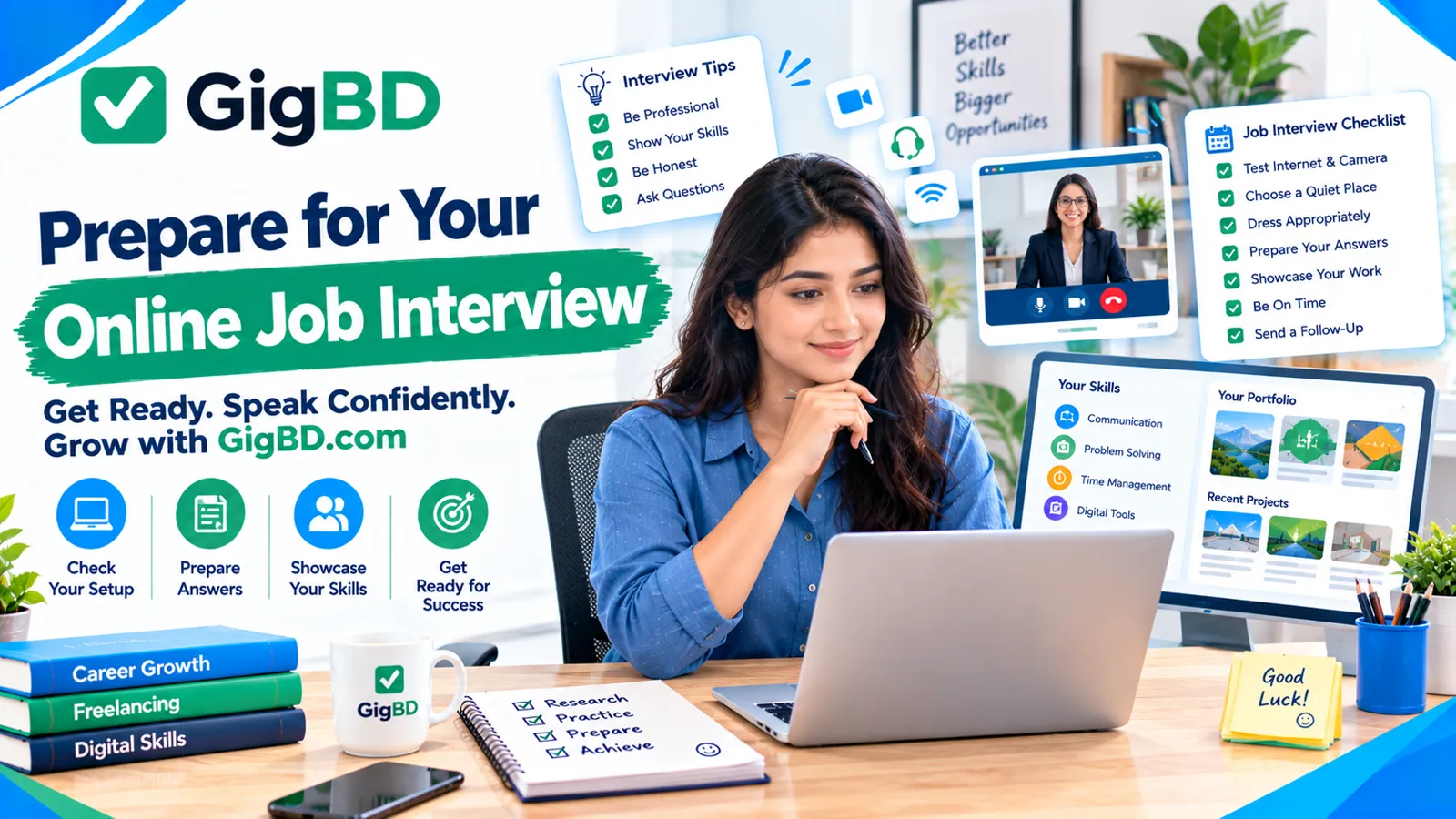
How to Prepare for an Online Job Interview: A Complete Beginner’s Guide
Online job interviews have become an important part of the modern hiring process. Many companies and clients use video calls to interview remote employees, freelancers, virtual assistants, and other online workers.
For beginners, an online interview can feel challenging. You may worry about what to say, how to present yourself, or whether your internet connection will work properly. The good news is that a little preparation can help you feel more comfortable and make a professional impression.
At GigBD.com, we believe that learning practical digital skills can help people prepare for online work opportunities. In this guide, you will learn how to prepare for an online job interview step by step.
1. Research the Company or Client
Before attending an interview, spend some time learning about the company, client, or organization.
Understand what the business does, what services it offers, and what type of worker it needs. If you are applying for a freelance project, carefully read the job description and identify the client's main requirements.
You should try to understand:
The company's products or services
The responsibilities of the position
The skills required for the job
The expected working hours and communication methods
The main goals of the project
This preparation helps you provide relevant answers instead of giving vague responses.
When exploring opportunities through platforms such as GigBD.com, always read the task or job instructions carefully and understand the requirements before applying.
2. Test Your Internet Connection and Equipment
Technical problems can interrupt an otherwise good interview. Before the scheduled time, check that your equipment works properly.
Prepare the following:
A computer, laptop, or suitable mobile device
A stable internet connection
A working microphone
A webcam, if required
Headphones, if they improve audio quality
A charger or sufficient battery power
Open the video meeting application before the interview and check your camera and microphone settings. If you plan to use your phone, keep it stable and position it at a comfortable viewing angle.
It is also helpful to keep a backup internet option available when possible.
3. Choose a Quiet and Professional Location
Your interview environment can affect how clearly you communicate.
Choose a quiet place where you are unlikely to be interrupted. A simple, tidy background is usually sufficient. You do not need an expensive office or special equipment to look professional.
Consider these tips:
Find a place with good lighting.
Keep unnecessary items out of the camera view.
Sit somewhere comfortable.
Reduce background noise.
Inform other people nearby that you will be attending an interview.
Position your light in front of you rather than directly behind you. This helps the interviewer see your face clearly.
4. Dress Appropriately for the Interview
Even when an interview takes place online, professional presentation matters.
Choose clean, neat clothing appropriate for the position and company culture. You do not necessarily need formal business clothing for every role, but avoid clothing that looks unsuitable for a professional meeting.
Before joining the call, check your appearance on camera and make sure you are comfortable.
Remember that professionalism is not only about clothing. Being punctual, polite, attentive, and prepared is equally important.
5. Practice Common Interview Questions
One of the best ways to prepare is to practice answering common interview questions.
You may be asked:
Tell me about yourself.
Give a short introduction covering your background, relevant skills, interests, and career goals. Keep your answer focused on the position.
Why do you want this job?
Explain what interests you about the role and how it matches your skills or learning goals.
What skills can you bring to this position?
Mention relevant abilities, such as writing, research, data entry, communication, organization, or using digital tools. Give honest examples of what you can do.
Do you have previous experience?
If you are a beginner, be honest. You can discuss relevant practice projects, coursework, personal projects, or transferable skills instead of inventing professional experience.
How do you handle deadlines?
Explain how you organize tasks, plan your time, and communicate when you need clarification.
Practice your answers aloud, but do not memorize every word. Natural, clear communication is better than sounding as though you are reading a script.
6. Prepare Examples of Your Skills
Interviewers may want to see evidence of your abilities.
Depending on the job, you could prepare a writing sample, a small design project, a spreadsheet, a research example, or a short explanation of a relevant task you have completed.
If you are new to freelancing, you can create a small practice project to demonstrate your skills. Clearly label practice work as a sample rather than presenting it as paid client work.
For opportunities found through GigBD.com, make sure you understand the requested task and only claim skills you genuinely possess.
7. Learn How to Communicate on Video Calls
Online communication requires a few habits that may feel different from face-to-face conversation.
Speak clearly and at a comfortable pace. Listen carefully to each question before answering. If you do not understand something, politely ask the interviewer to explain it.
During the call:
Look toward the camera when speaking.
Avoid interrupting the interviewer.
Keep your answers relevant.
Maintain a calm and friendly tone.
Avoid checking your phone or browsing unrelated websites.
Ask for clarification when necessary.
It is perfectly acceptable to take a moment to think before answering a difficult question.
8. Be Honest About Your Experience
Beginners sometimes feel pressure to exaggerate their skills or experience. This can create problems later if they receive work they are not prepared to complete.
Instead, explain your current abilities honestly and show a willingness to learn.
For example, you could say:
“I am new to professional remote work, but I have been learning the required skills and practicing regularly. I am willing to follow instructions, communicate clearly, and improve through feedback.”
Honesty helps establish realistic expectations and supports a better working relationship.
9. Prepare Questions for the Interviewer
An interview is also an opportunity for you to understand the job.
Prepare a few useful questions, such as:
What are the main responsibilities of this position?
What tools or platforms will I need to use?
How will my work be evaluated?
What is the expected deadline or work schedule?
How will communication and feedback be handled?
What are the next steps after the interview?
For freelance projects, clarify the scope of work, deadlines, deliverables, and payment terms before agreeing to begin.
Be cautious if someone asks you to pay an unexpected recruitment fee, share sensitive account credentials, or provide unnecessary financial information.
10. Join the Interview on Time
Punctuality demonstrates reliability.
Try to finish your technical checks 10–15 minutes before the scheduled interview. Join the meeting a few minutes early if the platform allows it.
Keep the meeting link, job description, your notes, and the interviewer's contact information accessible.
If a technical issue prevents you from joining, contact the interviewer promptly, explain the problem politely, and ask whether the meeting can be rescheduled.
11. Follow Up After the Interview
After the interview, consider sending a brief thank-you message. This is a simple way to show appreciation and reinforce your interest in the opportunity.
For example:
“Thank you for taking the time to speak with me today. I appreciate the opportunity to learn more about the position. I am interested in the role and look forward to hearing about the next steps.”
Avoid sending repeated messages if you have not received an immediate response. Follow any timeline the interviewer has provided.
12. Keep Improving Your Online Work Skills
Interview preparation becomes easier with practice. Work on your communication, digital literacy, time management, and role-specific skills.
You can also build experience through personal projects, learning resources, and legitimate online task opportunities. GigBD.com can be part of your exploration of online work, while you continue developing the skills required for more advanced opportunities.
Do not expect every application to lead to an interview or every interview to result in a job. Use feedback and experience to improve your approach.
Online Job Interview Checklist
Before your next interview, check that you have completed these steps:
Research the company or client.
Review the job description.
Test your internet, camera, and microphone.
Choose a quiet location.
Prepare appropriate clothing.
Practice common interview questions.
Organize examples of your work.
Prepare questions for the interviewer.
Join the meeting on time.
Send a polite follow-up message when appropriate.
Final Thoughts
Preparing for an online job interview does not require expensive equipment or years of experience. It requires planning, clear communication, honesty, and a willingness to learn.
By researching the opportunity, testing your equipment, practicing your answers, and presenting your skills confidently, you can make the interview process more manageable.
Whether you are looking for your first remote job or exploring freelance opportunities, keep learning and improving. Visit GigBD.com to explore online work opportunities and continue building your digital work experience.
Disclaimer: Job availability and hiring decisions depend on individual employers and clients. Preparing well can improve your readiness, but it cannot guarantee an interview or job offer.