How to Become a Content Moderator: A Beginner's Guide
Every day, millions of people share posts, comments, images, videos, and other content online. Social media platforms, online communities, forums, and digital businesses need ways to keep these spaces organized and safe for their users.
Content moderation helps make this possible.
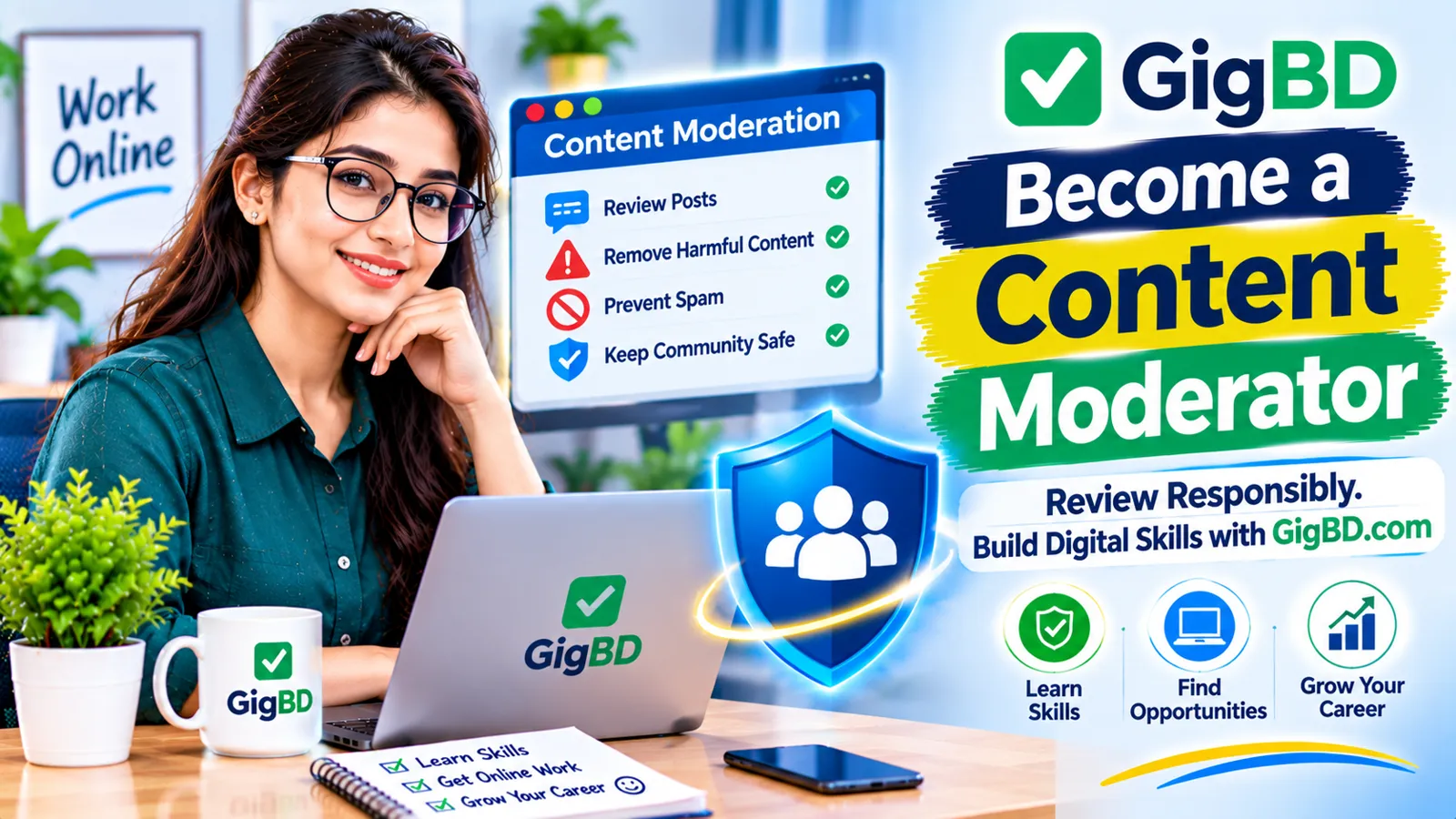
A content moderator reviews user-generated content and checks whether it follows a platform's rules and community guidelines. Depending on the platform, this may involve reviewing comments, identifying spam, checking reported posts, or escalating potentially harmful content for further review.
Content moderation can be an entry point into the digital services industry for people who have strong attention to detail, communication skills, and an understanding of online behavior.
In this guide, we will explain what content moderation is, what moderators do, which skills are useful, and how beginners can prepare for relevant online work opportunities.
1. What Is Content Moderation?
Content moderation is the process of reviewing content shared by users to determine whether it follows a website, application, or online community's policies.
Online platforms establish rules about what users can post and how they should interact with one another. Moderators help apply those rules consistently.
Content that may require review includes:
Social media posts
User comments
Forum discussions
Product reviews
Uploaded photographs
Videos and captions
Community messages
User-submitted advertisements
The exact responsibilities depend on the platform and the type of content being reviewed.
For example, a discussion forum may need moderators to review spam and abusive comments, while an online marketplace may need people to check product listings against its publishing rules.
2. What Does a Content Moderator Do?
A content moderator's daily responsibilities can vary, but the main purpose is to review user-generated material according to established guidelines.
Common responsibilities include:
Reviewing User Posts
Moderators examine posts to determine whether they comply with the platform's rules.
Identifying Spam
They may identify repetitive promotional messages, suspicious links, fake advertisements, or other unwanted content.
Checking Reported Content
Users can report content they believe violates community guidelines. Moderators review these reports and follow the platform's procedures.
Applying Community Guidelines
Moderators use written policies to decide whether content should remain available, be restricted, or be escalated for further review.
Escalating Difficult Cases
Some situations require additional investigation or a decision from a senior reviewer. Moderators should follow escalation procedures rather than making unsupported decisions.
Maintaining Review Records
Certain roles require moderators to record decisions and provide reasons based on the relevant policy.
Accuracy and consistency are important because moderation decisions can affect users and online communities.
3. Understand Different Types of Content Moderation
There are several approaches to content moderation. Understanding them can help you identify which type of work interests you.
Pre-Moderation
Content is reviewed before it becomes publicly visible.
This approach can be useful for communities that want to check submissions before publishing them.
Post-Moderation
Content becomes visible first and is reviewed afterward.
Moderators may examine posts through automated flags, user reports, or routine reviews.
Reactive Moderation
Moderators review content after users report it.
They investigate the reported material and follow the platform's relevant policies.
Automated Moderation
Software systems use predefined rules or machine-learning models to identify content that may require attention.
Automated systems can help prioritize reviews, but some cases still require human judgment.
Human Moderation
Human moderators evaluate context, language, intent, and policy requirements.
Many platforms use a combination of automated tools and human review.
4. Skills Needed to Become a Content Moderator
You do not necessarily need an advanced technical background to begin learning content moderation. However, several practical skills can make you better prepared.
Attention to Detail
Moderators need to notice small details, such as suspicious links, repeated messages, misleading descriptions, or policy violations.
Reading Comprehension
You must understand written guidelines and apply them correctly to different situations.
Decision-Making
Moderators need to make decisions based on evidence and established rules rather than personal opinions.
Communication Skills
Clear communication is useful when explaining decisions, documenting cases, or escalating difficult situations.
Basic Computer Skills
You should be comfortable using web browsers, online dashboards, spreadsheets, and common digital tools.
Time Management
Some moderation roles involve reviewing many submissions within a scheduled period. Organizing your work helps maintain consistency.
Emotional Awareness
Some moderation work may involve disturbing, offensive, or upsetting material. Understanding your limits and following workplace well-being procedures is important.
5. Learn How Community Guidelines Work
Community guidelines explain what users can and cannot do on an online platform.
Before reviewing content, moderators must understand the specific rules that apply to the platform.
Common policy areas include:
Spam and unwanted promotion
Harassment and bullying
Threatening behavior
Impersonation
Misleading information
Restricted or prohibited content
Privacy violations
Intellectual property concerns
Platform-specific posting requirements
Different platforms may have different rules. Something allowed in one online community may be restricted in another.
A moderator should never assume that personal preferences are the same as official platform policy.
Practice reading sample community guidelines and identifying the rules that apply to different hypothetical situations.
6. Improve Your English and Reading Skills
Many online platforms use English-language policies, dashboards, and training materials.
Strong English reading skills can help you understand instructions and review content accurately.
You can improve your skills by:
Reading online community guidelines.
Practicing with short English articles.
Learning common internet terminology.
Summarizing written instructions.
Identifying the main point of different messages.
Practicing clear and professional written communication.
If a job requires another language, knowledge of that language may also be useful.
Always check the language requirements before applying for a position.
7. Become Familiar With Moderation Tools
Content moderators may use specialized dashboards and software to review submissions, manage reports, and record decisions.
The tools vary from one employer to another.
You may encounter:
Content review dashboards
User reporting systems
Ticket management software
Spreadsheet applications
Internal communication platforms
Automated content filtering systems
Moderation queues
Beginners do not need to master every tool before applying. Focus first on basic computer skills and the ability to learn new systems.
If an employer provides training, follow its instructions carefully and use only authorized tools.
8. Practice Content Review With Sample Scenarios
Practical exercises can help you understand how moderation decisions are made.
Create a few imaginary examples and evaluate them using a simple set of hypothetical rules.
Scenario 1: Repetitive Promotion
A user posts the same advertisement repeatedly in a discussion forum.
Possible review: Check whether the forum restricts repeated promotional posts.
Scenario 2: Personal Attack
A comment directly insults another community member.
Possible review: Compare the comment with the platform's harassment policy.
Scenario 3: Suspicious Link
A user shares an unfamiliar link with misleading promotional text.
Possible review: Follow the platform's link and spam review procedures.
Scenario 4: Product Review
A customer writes a negative review describing a product problem.
Possible review: Do not remove the review simply because it is negative. Check whether it violates the platform's actual rules.
These exercises demonstrate an important principle: moderation decisions should be based on policy and context, not personal preference.
9. Understand the Challenges of Content Moderation
Content moderation is not always easy. Some roles involve reviewing large amounts of material, working under time limits, or handling difficult situations.
Common challenges include:
Repetitive Work
Reviewing similar posts and reports repeatedly can become tiring.
Complex Decisions
Some content may be difficult to classify because its meaning depends on context.
Changing Policies
Platforms may update their guidelines, requiring moderators to learn new rules.
Performance Expectations
Some workplaces measure review accuracy, response times, and the number of completed cases.
Exposure to Disturbing Material
Certain moderation roles may involve harmful or upsetting content. This can affect emotional well-being.
Before accepting a role, understand its content categories, support arrangements, training, working conditions, and exposure policies.
10. Protect Your Mental Well-Being
Some content moderation positions involve exposure to sensitive or disturbing material. This is an important consideration when deciding whether the work is suitable for you.
Helpful workplace practices may include:
Following approved break schedules.
Using available employee support resources.
Taking part in required training.
Following content exposure warnings.
Discussing difficult assignments with authorized supervisors.
Respecting personal limits and workplace safety procedures.
Do not assume that every moderation position involves the same type or amount of sensitive material. Ask the employer about the actual responsibilities before accepting a role.
Your well-being should be an important part of your career decision.
11. Prepare a Beginner-Friendly Resume
A resume can help employers understand your relevant skills and experience.
Even if you have never worked as a content moderator, you can highlight transferable abilities.
Consider including:
Reading and writing skills
Attention to detail
Basic computer knowledge
Problem-solving ability
Communication skills
Experience using online platforms
Language proficiency
Relevant training or coursework
Avoid claiming professional moderation experience if you have not worked in that role.
Instead, explain your interest in digital communities and your willingness to learn platform-specific guidelines.
12. Where to Find Content Moderation Opportunities
Content moderation roles may be available through different types of employers and digital work platforms.
You can explore:
Online Job Boards: Search for entry-level moderation, community support, and trust-and-safety roles.
Company Career Pages: Some social media companies, online marketplaces, and service providers publish openings on their own websites.
Outsourcing Companies: Some businesses provide customer support and content review services for other organizations.
Freelance Platforms: Depending on the platform and client requirements, you may find related community management or content review projects.
Digital Work Platforms: GigBD.com can be explored for online work guidance and opportunities that may help you develop experience with digital tasks.
Search using relevant job titles, such as:
Content Moderator
Community Moderator
Online Community Assistant
Trust and Safety Associate
Content Reviewer
User-Generated Content Reviewer
Read each job description carefully because these titles do not always describe identical responsibilities.
13. How to Apply for Entry-Level Roles
Once you find a suitable opportunity, prepare your application carefully.
Follow these steps:
Step 1: Read the Job Description
Check the required language skills, working hours, responsibilities, and experience level.
Step 2: Review the Employer
Research the company and verify that the vacancy is published through an official or trustworthy channel.
Step 3: Prepare Your Resume
Highlight relevant skills and provide accurate information.
Step 4: Write a Clear Application
Explain why you are interested in the role and how your skills match its requirements.
Step 5: Prepare for Assessments
Some employers may provide reading tests, policy-based exercises, or scenario questions.
Step 6: Ask About Working Conditions
Before accepting an offer, understand the responsibilities, training, compensation, schedule, and content exposure involved.
Never pay an unexplained recruitment fee or share sensitive personal information with an unverified recruiter.
14. Common Mistakes Beginners Should Avoid
New applicants may misunderstand what content moderation involves.
Avoid these mistakes:
Making Personal Judgments: Moderation decisions should follow written platform policies.
Ignoring Context: A message should be evaluated in its full context when the guidelines require it.
Rushing Reviews: Speed should not replace accuracy.
Guessing Policy Decisions: Ask for clarification or escalate cases when necessary.
Sharing Private Information: Follow confidentiality requirements and never disclose internal user information.
Misrepresenting Experience: Be honest about your qualifications and previous work.
Ignoring Well-Being: Understand the nature of the work and available support before accepting a position.
15. A Simple 30-Day Learning Plan
Beginners can use this flexible plan to build a foundation in content moderation.
Week 1: Understand Online Communities
Learn how online forums, social media platforms, and digital communities work. Read sample community guidelines.
Week 2: Develop Reading and Policy Skills
Practice understanding written rules and applying them to hypothetical examples.
Week 3: Practice Digital Tools
Improve your browser, spreadsheet, document, and online dashboard skills. Learn how to organize review notes.
Week 4: Prepare for Applications
Create a beginner-friendly resume, research relevant job titles, and practice answering scenario-based questions.
You can adjust the schedule based on your learning speed and available time.
16. How GigBD.com Can Help You Explore Digital Work
Content moderation is one example of the many roles that support online platforms and digital communities.
Developing skills such as reading comprehension, communication, attention to detail, and basic computer use can also help you explore other online work categories.
GigBD.com shares beginner-friendly information about digital skills and online work opportunities.
As you learn, focus on building practical abilities, understanding job requirements, and applying only for opportunities that match your skills.
Conclusion
Becoming a content moderator requires more than simply reading posts and deleting unwanted content. It involves understanding community guidelines, evaluating information, making consistent decisions, and following established procedures.
Beginners can start by improving their reading skills, learning how online communities operate, practicing policy-based scenarios, and becoming comfortable with basic digital tools.
It is also important to understand the working conditions and potential emotional challenges associated with moderation roles.
With preparation, realistic expectations, and continuous learning, you can explore whether content moderation is a suitable path in the digital services industry.
For more beginner-friendly guides about digital skills and online work, visit GigBD.com.