How to Build a Freelance Portfolio With No Experience
Starting a freelance career can feel challenging when you have no previous clients or professional experience. Many beginners believe they must work for a company before they can create a portfolio. In reality, you can start building a portfolio by creating your own sample projects and demonstrating what you can do.
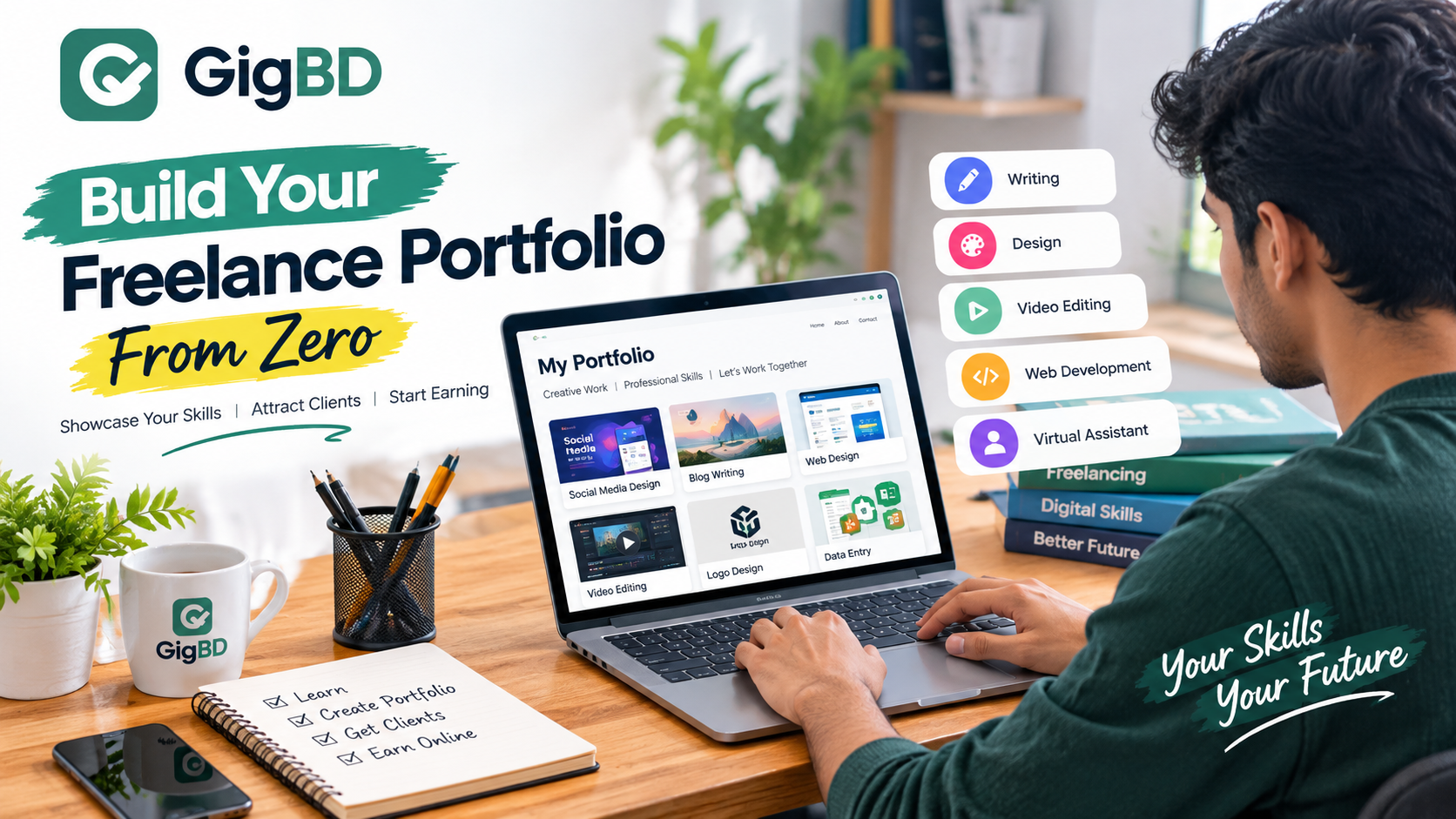
A freelance portfolio is a collection of work that helps potential clients understand your skills, creativity, and working style. Whether you want to become a content writer, graphic designer, video editor, web developer, or virtual assistant, a portfolio can help you present your abilities more professionally.
In this guide, we will explain how to build a freelance portfolio from scratch, choose suitable sample projects, and prepare yourself to approach potential clients.
What Is a Freelance Portfolio?
A freelance portfolio is a collection of examples that demonstrates your abilities to potential clients. It allows people to evaluate your work before deciding whether to hire you.
For example, a content writer can show sample blog articles, a graphic designer can display social media designs, and a video editor can present short edited videos.
A portfolio does not need to contain dozens of projects. A few well-prepared examples that demonstrate your skills can be more useful than a large collection of unfinished work.
Why Do Beginners Need a Portfolio?
A portfolio can help beginners in several ways.
1. Demonstrate Your Skills
Instead of simply claiming that you can perform a task, you can show examples of your work.
2. Build Client Confidence
Clear, organized samples help potential clients understand what they can expect from you.
3. Identify Your Strengths
Creating sample projects can help you discover which types of work you enjoy and perform well.
4. Improve Your Communication
A portfolio gives you something specific to share when explaining your services to potential clients.
5. Prepare for Freelance Opportunities
Some freelance clients request samples before hiring someone. Preparing a portfolio in advance can make it easier to respond to suitable opportunities.
Step 1: Choose One Freelance Skill
Before creating a portfolio, decide what service you want to offer.
Trying to offer every possible service can make it difficult to communicate your strengths. Start with one skill and expand later as you gain experience.
Here are some beginner-friendly options to explore.
Content Writing
Create sample blog posts, product descriptions, website articles, or social media captions.
Graphic Design
Prepare sample social media posts, banners, promotional graphics, or simple business flyers.
Video Editing
Create short videos, educational clips, promotional edits, or before-and-after editing demonstrations.
Virtual Assistance
Demonstrate skills such as spreadsheet organization, document formatting, research, and email organization using fictional or publicly available practice data.
Web Design
Build a sample landing page, personal website, or simple business website to demonstrate your design and technical abilities.
Choose a skill that matches your interests, available equipment, and willingness to learn.
Step 2: Create Three to Five Sample Projects
You do not need paying clients to begin building your portfolio. You can create practice projects that demonstrate what you can do.
For example, if you want to become a content writer, you could prepare:
A blog article about online learning.
A product description for a fictional product.
A beginner's guide to a useful topic.
A sample website introduction.
A short social media content package.
If you want to become a graphic designer, you could create:
Three social media post designs.
A promotional banner for a fictional business.
A simple logo concept for a practice project.
A product advertisement.
A sample event poster.
Make sure your samples are complete, easy to understand, and relevant to the services you want to offer.
Step 3: Make Your Samples Look Professional
Quality matters more than quantity. Before adding a project to your portfolio, review it carefully.
Check spelling, grammar, formatting, image quality, consistency, and overall presentation.
For writing samples, use clear headings and organized paragraphs. For design projects, maintain readable typography and balanced layouts. For video editing, pay attention to pacing, audio quality, and transitions.
If you use AI tools to help with your work, review and edit the results carefully. Make sure you understand the final output and follow the rules of any client or platform you work with.
Step 4: Organize Your Portfolio
Your portfolio should make it easy for potential clients to understand your services.
A simple portfolio can include the following sections:
Introduction: Briefly explain who you are and what you do.
Services: List the specific services you can provide.
Work Samples: Display your best projects with short descriptions.
Tools and Skills: Mention relevant software, tools, or technical abilities.
Contact Information: Explain how interested clients can contact you.
You can start with a simple online document, a personal website, or a portfolio page on a suitable professional platform. Choose a format that you can maintain and update easily.
Step 5: Use Free or Low-Cost Tools
Beginners do not need to spend a lot of money to create a portfolio.
Depending on your chosen skill, you can explore tools such as:
Google Docs for writing samples and documents.
Canva for basic graphic design.
GitHub for code projects.
Behance for visual creative work.
A personal website for presenting services and samples.
Check the current terms and features of each service before using it. You can begin with free options and consider paid tools only when they provide a clear benefit.
Step 6: Explain Each Project Clearly
Do not simply upload a collection of files without explaining what they demonstrate.
For each portfolio project, include a short description covering:
The purpose of the project.
The skills you used.
The tools involved, if relevant.
The problem the project was designed to solve.
Whether it was a practice project or paid client work.
Always describe your experience honestly. Never present a personal practice project as work completed for a real client.
Step 7: Start Looking for Freelance Opportunities
Once your portfolio is ready, begin exploring opportunities that match your skills.
You can research freelance platforms such as Upwork and Fiverr, professional communities, business networks, and legitimate job listings.
Read each platform's registration requirements, fees, and rules before joining. Some platforms may have age, identity verification, location, or service-specific eligibility requirements.
When contacting potential clients, explain how your service could help with their particular needs. Avoid sending the same generic message to everyone.
Step 8: Keep Improving Your Portfolio
Your first portfolio is only the beginning. As you improve your skills, replace weaker samples with better projects.
You can also add new examples when you learn additional tools or complete genuine client work.
Ask for feedback from people who understand your chosen skill. Use constructive feedback to identify problems and improve your results.
Over time, your portfolio can become a useful record of your progress and capabilities.
Common Portfolio Mistakes to Avoid
Beginners sometimes make mistakes that reduce the effectiveness of their portfolios.
Including Too Many Weak Samples
Choose a small number of strong, relevant examples instead of uploading every practice project you have created.
Copying Other People's Work
Use original work or material you have permission to use. Do not claim someone else's design, article, or code as your own.
Making Unrealistic Claims
Describe your experience and abilities honestly. Avoid claiming professional results or client experience that you cannot support.
Ignoring Presentation
Broken links, spelling errors, missing images, and confusing layouts can make your portfolio difficult to evaluate.
Failing to Update Your Work
Review your portfolio periodically and remove outdated or irrelevant examples.
How Long Does It Take to Build a Freelance Portfolio?
The time required depends on your chosen skill, current ability, and the complexity of your projects.
A beginner may be able to prepare a simple portfolio within a few days, while more technical or creative projects may take longer. The goal should be to create a few convincing examples rather than rush to finish a large collection.
Set a realistic schedule, complete one project at a time, and improve your work through practice.
Final Thoughts
You do not need years of professional experience to start building a freelance portfolio. By choosing one skill, creating original sample projects, organizing your work, and presenting your abilities honestly, you can take an important first step toward freelancing.
Remember that a portfolio does not guarantee clients or income. You will still need to improve your skills, find suitable opportunities, communicate professionally, and deliver quality work.
Start small, focus on quality, and keep learning. Every completed project can help you become better prepared for future freelance opportunities.
Looking for more beginner-friendly online work guides? Visit GigBD to explore practical articles about freelancing, micro jobs, digital skills, and online career opportunities.
Frequently Asked Questions (FAQ)
1. Can I create a freelance portfolio without experience?
Yes. You can create original practice projects that demonstrate your skills. Clearly identify them as sample or personal projects.
2. How many projects should a beginner portfolio contain?
Three to five well-prepared, relevant projects can be a useful starting point. Add more as your skills improve.
3. Do I need a website to create a portfolio?
No. You can start with an online document, a suitable portfolio platform, or another format that makes your work easy to view.
4. Which skills are suitable for a beginner portfolio?
Content writing, graphic design, video editing, web design, and virtual assistance are examples of skills you can demonstrate through practice projects.
5. Can I use AI tools to create portfolio samples?
AI tools can assist with brainstorming and production, but you should review the output, understand the work, disclose AI use when required, and follow relevant platform or client rules.
6. Will a portfolio guarantee freelance clients?
No. A portfolio can demonstrate your abilities, but getting clients also depends on demand, communication, pricing, competition, and the quality of your work.
7. Should I include unpaid practice projects?
Yes, if they demonstrate relevant skills. Label them honestly as personal or practice projects rather than paid client work.